


LED Wall Maintenance: What to Expect After the Install Crew Leaves
An LED wall is the most impressive thing in most commercial spaces, and it’s also the piece of equipment owners understand the least once it’s running. The sales conversation is all about pixel pitch and brightness. Nobody spends much time on LED wall maintenance, which is unfortunate, because the difference between a wall that still looks brand new in year six and one that looks patchy by year three has almost nothing to do with which brand you bought. It comes down to airflow, calibration, spare parts, and whether anyone can physically reach the back of the thing. Here’s what actually happens over the life of a wall.
How Long Does an LED Wall Last?
An LED wall rarely fails all at once. Individual modules and power supplies fail occasionally, and the LEDs themselves gradually dim and shift color rather than burning out. That’s why useful life for LEDs is usually described as the point where output has dropped to a percentage of the original, not the point where the screen goes dark. In practice, a well-ventilated, properly driven wall that gets serviced can look excellent for many years, while an identical wall running hot at full brightness in a sunny lobby will age visibly faster.
The Department of Energy’s explainer on LED basics describes this well for lighting products, and the same physics applies to displays. Useful life is commonly defined as the hours until a product emits 70% of its initial light output. It also notes something people rarely consider: because the LEDs last so long, the surrounding electronics often fail first, and color can shift to an unacceptable degree before brightness alone becomes the problem.
That’s the honest frame for any lifespan number a manufacturer quotes. When you see a figure in the tens or hundreds of thousands of hours, ask what output level it refers to, at what drive current, and at what temperature. The number by itself doesn’t tell you much.
What Does LED Wall Maintenance Actually Involve?
Less than people fear, but more than nothing. Here’s the real list.
Cleaning and Airflow
Dust is the quiet killer. It settles on module faces, dulls the image, and more importantly it collects in vents and behind cabinets where it traps heat. Heat is what shortens the life of both LEDs and power supplies.
Cleaning is done dry and gently, with no liquid sprayed at the panel face and nothing abrasive anywhere near the module surface. The bigger job is keeping the air path clear behind and around the wall, and making sure nothing has been stacked against it. We have walked into more than one lobby where a beautiful wall was slowly cooking behind a row of storage boxes.
Calibration and Color Drift
Individual modules don’t age at exactly the same rate. Over time that shows up as a faint checkerboard or a patch that reads slightly warmer than its neighbors. It’s gradual enough that the people who see it daily often stop noticing, which is exactly why it needs to be checked on a schedule rather than by feel.
Recalibration brings the modules back into agreement. It’s also essential after any module replacement, because a brand-new module dropped into a five-year-old wall will be brighter than everything around it until it’s matched.
Module and Power Supply Replacement
Modules and power supplies are consumables on a long timeline. Expect a small number of failures across the life of the wall, usually concentrated in the first few months as manufacturing defects surface, and then again much later as components age.
The failures themselves are routine. A trained tech pulls the affected module, swaps it, and recalibrates the region. What turns a routine swap into a problem is not having the part, which brings us to the thing nobody warns buyers about.
Firmware, Processors, and Content Sources
The wall is a display, but the system includes a video processor, a sending card, receiving cards in each cabinet, and whatever is feeding it content. Those get firmware updates, and mismatched firmware between components is a common cause of flicker, mapping errors, and blank cabinets.
This is also where most “the wall is broken” calls actually land. Nine times out of ten the panels are fine and the problem is upstream in the source, the processor, or the network.
The Spare Parts Problem Nobody Warns You About
Here’s the part that should shape your purchase decision.
LED modules are manufactured in production runs, and modules from different runs can differ subtly in color and brightness even when the part number is identical. A replacement sourced three years later may never blend perfectly with the original wall, no matter how carefully it’s calibrated.
On top of that, product lines get discontinued. A panel that’s current when you buy may be out of production well before your wall reaches end of life, and at that point your only options are a close-enough substitute or a partial rebuild.
The fix is simple and needs to happen at purchase: buy spare modules and at least one spare power supply from the original production run, and store them somewhere climate-controlled and known. A small box on a shelf is the difference between a two-hour repair and a two-month conversation. Any integrator worth hiring will raise this before you sign, and it’s a fair question to ask during LED wall installation planning rather than after.
Service Access Is a Design Decision, Not a Service Decision
You can only maintain what you can reach. Walls are built for either front service or rear service, and the choice locks in years of consequences.
Rear-service designs need working clearance behind the wall, often a walkable corridor or a service gap. Techs access power supplies and receiving cards from behind, which means repairs can sometimes happen without disturbing the room in front.
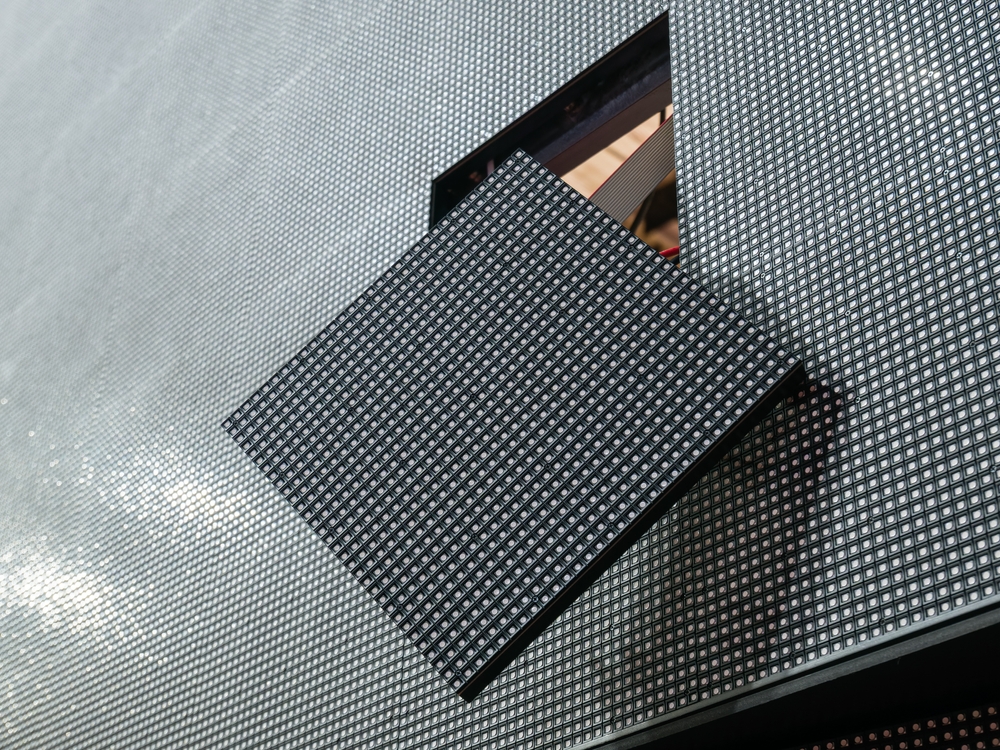
Front-service designs pull modules from the face using magnetic tools. They work where there’s no space behind the wall, which describes most retrofits into existing buildings.
Either way, height matters. A wall whose top rows sit well above head height means every service visit involves a lift, and lift work brings its own requirements. OSHA’s guidance on scissor lifts covers the fall protection, stabilization, and operator training involved. Practically, it means you need floor clearance in front of the wall, a route to get a lift there, and a floor rated to carry it. If the wall overlooks a staircase or a fixed reception desk, that’s a service problem you inherit permanently.
Building LED Wall Maintenance Into Your Budget
We’re not going to invent numbers, because the honest range depends on too many variables. But here’s what actually drives the cost, so you can have a useful conversation about it.
Hours of operation. A wall running sixteen hours a day ages roughly twice as fast as one running eight.
Brightness setting. Running a wall at full brightness when the room doesn’t need it consumes life for no visible benefit. Most indoor walls can be dialed well down.
Environment. Direct sun, humidity, kitchen grease, and construction dust all shorten service intervals.
Warranty terms and what they cover. Parts-only warranties leave labor and lift costs with you. Read what’s included and for how long.
Response time. A four-hour response commitment costs more than next-business-day, and it’s worth it only if the wall is genuinely mission-critical.
The reasonable planning assumption is a scheduled visit once or twice a year for cleaning, inspection, and calibration, plus reactive service as needed. Facilities that run their walls hard, or that can’t tolerate downtime, justify more frequent visits. This is the whole logic behind treating AV repair and maintenance as a planned line item rather than an emergency expense.
Questions to Ask Before You Sign
Ask these during procurement, not after something breaks.
- Who holds the spare modules, and were they sourced from the original production run?
- Is calibration included in the service agreement, or billed separately?
- What’s the response time commitment, and does it cover a lift if one is needed?
- Does the warranty cover labor, or parts only?
- Who owns the processor configuration and calibration files, and where are they backed up?
- If the wall needs partial replacement in year seven, what’s the path?
That last one gets skipped constantly. The answer tells you whether you’re buying a display or a long-term relationship.
When It’s Time to Replace
Eventually the math changes. Signs that a wall is nearing the end of its useful life include failures clustering rather than appearing randomly, calibration no longer bringing modules into agreement, brightness that can’t compete with the room’s ambient light anymore, and a processor that can no longer handle the resolutions or sources you need.
When you do replace, the old panels are electronic waste with real value and real hazards. The EPA maintains guidance on certified electronics recyclers audited to the R2 and e-Stewards standards, which is the right route for a pallet of decommissioned cabinets. Your integrator should be able to coordinate this rather than leaving you with a storage room full of dead modules.
Keeping It Looking New
The best LED wall maintenance program is boring. Somebody cleans it, somebody checks the color, somebody has the spare part on a shelf, and nobody has to make an emergency call the morning of a board meeting.
Most of that gets decided before installation, in choices about service access, spares, and who’s responsible for what afterward. If you already have a wall and nobody’s touched it in a couple of years, or you’re planning one and want the ownership side thought through properly, that’s exactly the kind of thing our commercial AV team handles day to day. Reach out and we’ll take a look at what you’ve got.
Frequently Asked Questions
How often should an LED wall be professionally serviced?
For most indoor commercial installations, once or twice a year is a reasonable baseline for cleaning, inspection, and calibration. Walls in demanding environments, running long hours, or in spaces where downtime is costly justify quarterly visits. The right interval depends on operating hours, ambient conditions, and how visible a failure would be. Your manufacturer’s documentation is the starting point, and your integrator should adjust from there based on how the wall is actually used.
Can I clean an LED wall myself?
Light dry dusting of the face with a soft, non-abrasive tool is generally fine, and keeping the area around the wall clear is genuinely helpful. What you shouldn’t do is spray any liquid, use anything abrasive, press on the module face, or open cabinets. LED modules are more fragile than they look, and pressing on them can damage individual diodes permanently. Check your manufacturer’s instructions, since specific products vary.
Why does one section of my LED wall look brighter than the rest?
Usually one of two things. Either a module was replaced at some point and never color-matched to its neighbors, or that section runs hotter than the rest and has aged differently, which often points to blocked airflow or a failing fan. Both are fixable. The first needs recalibration, the second needs the thermal cause addressed first, because recalibrating around a heat problem just delays it.
Do I really need to buy spare LED modules up front?
It’s the single cheapest insurance available on the whole system. Modules from different production runs can vary slightly in color and brightness, and product lines get discontinued faster than walls wear out. Buying spares from the original run means a failure is a same-week fix rather than a hunt for a discontinued part. Store them somewhere dry, climate-controlled, and documented, so somebody can find them in year five.
What usually breaks first on an LED wall?
Not the LEDs. Power supplies, fans, and the surrounding electronics tend to fail before the diodes dim enough to matter, and the most common service calls turn out to be upstream problems with the video processor, firmware mismatches, the network, or the content source rather than the panels at all. That’s why troubleshooting should always start with the signal chain before anyone assumes a hardware failure in the wall.