


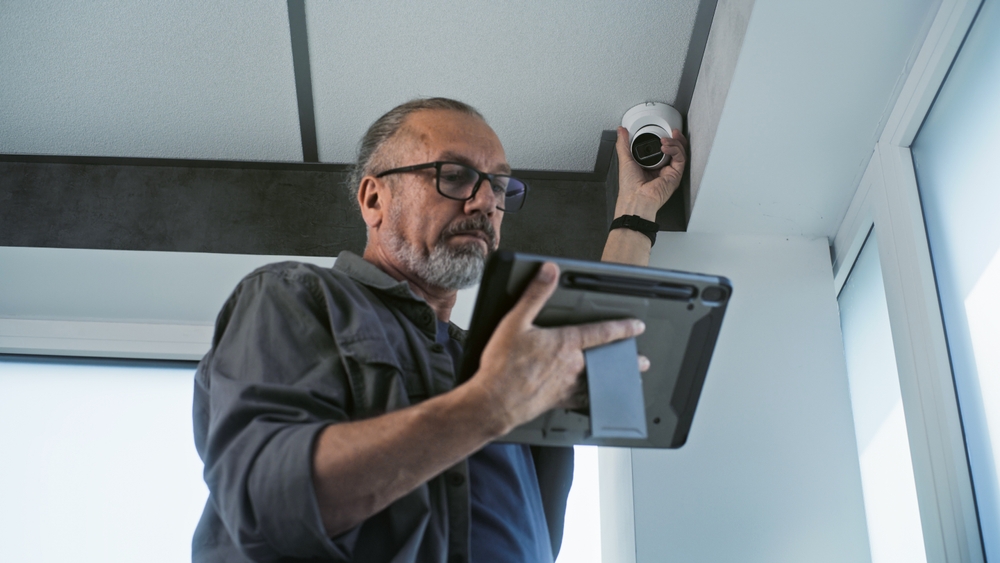
Security Camera vs. Security System Installation: What’s the Difference?
If you’re trying to protect your home or business, you’ve probably run into two terms that sound almost identical: “security camera installation” and “security system installation.” People use them interchangeably all the time, but they aren’t the same thing – and understanding the difference before you buy can save you money and leave you far better protected. A security system installation and a camera setup solve related but distinct problems, and the right choice depends on what you’re actually trying to accomplish.
In this guide, we’ll break down what each one does, where they overlap, and how to decide whether you need cameras, a full security system, or both. By the end, you’ll be able to walk into any conversation with an installer knowing exactly what you’re asking for.
Security Cameras vs. Security Systems: The Short Answer
Security cameras record and let you watch what’s happening on your property, while a security system detects intrusions and triggers an alarm or alert. Cameras are about visibility and evidence – seeing who’s at the door or reviewing footage after the fact. A security system is about detection and response – sensors that notice a break-in and set off a siren or notify a monitoring service. Plenty of modern setups combine both, but they serve different core purposes.
What Is a Security Camera System?
A security camera system – sometimes called video surveillance or CCTV – is a network of cameras that capture live and recorded video of your property. You can watch feeds in real time, review recordings later, and in most modern systems, check in remotely from your phone.
Cameras are great at a few specific things. They give you eyes on your property when you’re not there. They provide a visual record that can help identify people or verify what happened during an incident. And their visible presence can discourage would-be intruders before anything happens.
What cameras generally don’t do on their own is actively respond. A standalone camera records a break-in, but it won’t sound an alarm, contact anyone, or do anything to interrupt the event in progress. That’s where a security system comes in.
For businesses especially, a well-designed commercial security camera installation can cover entrances, registers, storage areas, and parking lots, with footage accessible from a single dashboard or command center.
What Is a Security System Installation?
A security system installation refers to the setup of an integrated system designed to detect and respond to threats – not just watch them. At its core, a security system uses sensors: door and window contacts, motion detectors, glass-break sensors, and sometimes environmental sensors for smoke, water, or carbon monoxide.
When a sensor is triggered – say, a door opens while the system is armed – the system does something about it. That might mean sounding a siren, sending an alert to your phone, or notifying a professional monitoring center that can dispatch help. The emphasis is on action, not just observation.
A security system installation typically includes a control panel or keypad, the sensors themselves, and a way to arm and disarm everything. Cameras can absolutely be part of a security system, which is exactly why the two terms blur together. But the defining feature of a security system is detection-and-response, whereas the defining feature of a camera setup is recording-and-viewing.
Monitored vs. Self-Monitored Systems
One more distinction worth understanding is how a security system is watched. With a professionally monitored system, a monitoring center receives alerts around the clock and can contact you or dispatch emergency services when an alarm trips – even if you’re asleep or unreachable. With a self-monitored system, alerts go straight to your phone, and it’s up to you to decide how to respond. Professional monitoring usually carries a monthly fee but adds a human safety net; self-monitoring costs less but puts the response entirely on you. Neither is right for everyone – the best fit depends on how hands-on you want to be and how much coverage you need when you’re not around.
Key Differences at a Glance
To keep it simple, here’s how the two compare:
- Primary job: Cameras record and show video; security systems detect events and trigger alarms or alerts.
- What they use: Cameras rely on lenses and recorders; security systems rely on sensors, a control panel, and often monitoring.
- Response: Cameras are generally passive; security systems actively respond when an event is triggered.
- Best for: Cameras are ideal for monitoring and evidence; systems are ideal for intrusion detection and rapid response.
- Together: Combined, cameras let you visually verify an alert while the system handles detection and notification.
Do You Need a Security System Installation, Security Cameras, or Both?
Here’s the practical question, and the honest answer is that it depends on your priorities, your property, and your budget. Let’s break it down.
For Homeowners
If your main concern is knowing who’s at your door, keeping an eye on kids or pets, or having a record of package deliveries, cameras may be enough on their own. If your bigger worry is a break-in while you’re away or asleep, a security system with sensors and alerts – ideally paired with cameras so you can visually confirm what set it off – is the stronger choice.
Many homeowners find the sweet spot is integration: cameras, sensors, and alarms tied together with smart-home controls so everything runs from one app. Instead of juggling separate apps for your doorbell, your locks, and your alarm, you get one place to arm the system, check a live feed, and review alerts. If that’s the direction you’re leaning, our smart home integration work connects security with lighting, audio, and other systems for a single, unified experience.
For Businesses
For most businesses, the answer is usually both. Cameras document activity for liability, loss prevention, and incident review, while a security system protects the premises after hours and can alert you or a monitoring service to a problem. The right mix depends on your industry, your hours, the layout of your space, and what you’re protecting. A retail store worries about shoplifting and register disputes, a warehouse about inventory and after-hours entry, and a restaurant about both customer areas and back-of-house access – each has different vulnerabilities. That’s why professional commercial AV and security planning matters: coverage should be designed around your actual risks, not guessed at or copied from a generic template.
What to Look for in a Professional Installation
Whether you choose cameras, a full system, or both, how it’s installed makes an enormous difference. Poor camera placement leaves blind spots. Weak network setup leaves your footage – and your privacy – exposed. Here’s what to prioritize.
Protect Your Cameras and Devices From Hacking
Modern cameras and security systems are usually connected to the internet, which means they can be targeted by hackers if they aren’t secured properly. This isn’t hypothetical – there have been real cases of strangers accessing private camera feeds.
The Federal Trade Commission recommends choosing cameras with built-in security features like encryption and locking down remote access so only authorized people can view your feeds. Its guide to securing home security cameras is a practical starting point. More broadly, the Cybersecurity and Infrastructure Security Agency (CISA) advises changing default passwords, keeping device software up to date, and reviewing the security settings on any internet-connected device – all of which apply directly to networked cameras and alarm systems.
A good installer handles these fundamentals for you: strong credentials, secure network configuration, and often placing cameras on a separate network segment to reduce risk.
Placement, Coverage, and Reliability
Beyond cybersecurity, the practical value of any system comes down to design. Cameras need the right lenses, angles, and positioning to actually capture usable footage in real lighting conditions – a camera pointed into afternoon glare or mounted too high to catch faces is worth very little when you need it. Sensors need to be placed where they’ll catch genuine intrusions without constant false alarms that train you to ignore them. And the whole system has to perform reliably day and night, across seasons and weather, which is where professional experience pays off. Thoughtful planning up front is the difference between a system you trust and one you second-guess.
Building a Layered Approach
The most effective security rarely comes from a single product. Professionals tend to think in layers, where cameras, sensors, alarms, lighting, and access control each cover a different weakness. Cameras give you visibility and a record. Sensors and alarms provide detection and deterrence. Access control – like keypad or app-controlled door locks – decides who gets in and when. Good lighting removes the hiding spots intruders rely on.
When these layers are designed to work together rather than bolted on piecemeal, they reinforce each other. A motion sensor can prompt a camera to start recording and a light to switch on, while an alert lands on your phone – all from one triggered event. That kind of coordination is far easier to achieve when a single, experienced team plans the whole system instead of stitching together mismatched parts from different vendors.
Making the Right Choice
So, security camera installation or security system installation? If you remember one thing, make it this: cameras help you see and record, while security systems help you detect and respond. Neither is automatically “better” – they solve different problems, and the strongest protection often blends the two into one well-designed setup.
The smartest move is to start with your goals. What are you protecting, from what, and when? From there, a professional can design something that fits – without overspending on features you don’t need or leaving gaps where you’re vulnerable.
If you’d like help figuring out the right approach for your home or business, our team is happy to talk it through. Reach out through our contact page, and we’ll help you plan a solution built around your actual needs.
Frequently Asked Questions
Is a security camera the same as a security system? No. A security camera records and lets you view video of your property, while a security system uses sensors to detect events like a door opening or motion, then responds by sounding an alarm or sending an alert. Cameras focus on visibility and evidence; security systems focus on detection and response. Many setups combine both, with cameras integrated into a larger security system, but the two terms describe different core functions.
Can I have security cameras without a full security system? Yes. Plenty of homes and businesses use cameras on their own for monitoring, deterrence, and recording footage. Standalone cameras let you watch live feeds and review recordings, which is often enough if your main goal is visibility. Keep in mind that cameras alone are generally passive – they record an event but won’t sound an alarm or notify anyone automatically. If active intrusion detection matters to you, you’ll want to add a security system.
Do security cameras deter crime? Visible cameras can discourage some would-be intruders, since many prefer targets that aren’t being recorded. That said, cameras aren’t a guarantee, and their biggest value is often the record they provide during and after an incident. For stronger protection, cameras are best combined with a security system that actively detects and responds to intrusions, along with good lighting and other common-sense measures.
Are internet-connected security cameras safe to use? They can be, but only if they’re set up securely. Because these cameras connect to the internet, they can be targeted if left with default passwords or weak settings. The FTC and CISA both recommend using encryption, changing default credentials, keeping software updated, and limiting remote access. A professional installer can configure these protections for you and place cameras on a secure part of your network to reduce the risk of unauthorized access.
Should a business get cameras, a security system, or both? Most businesses benefit from both. Cameras document activity for loss prevention, liability, and incident review, while a security system protects the premises after hours and alerts you or a monitoring service to problems. The right combination depends on your industry, hours, layout, and what you’re protecting. A professional assessment helps match coverage to your actual risks rather than applying a one-size-fits-all package.